Prefer watching over reading? Check out this video for step-by-step instructions.
Log in to your account.
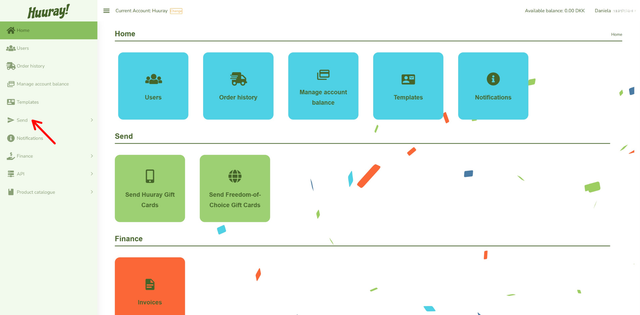
Click Send on your dashboard to begin. Then, click on Send Freedom-of-choice gift cards.
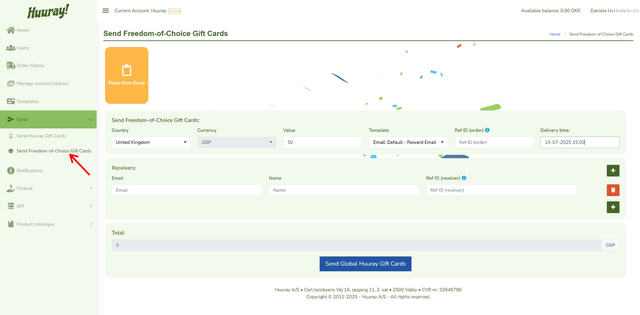
Whether it’s a single recipient or a bulk order, the platform will guide you step by step.
- Select the country you want to send your gift cards to.
- The currency is automatically applied based on the selected country.
- Enter the amount you want to send to each recipient.
- Select a template to personalize your gift cards. Choose a standard template to begin with. You will learn to create your own template in the next articles.
- Add a Reference ID (optional). This helps track your order.
- Choose the delivery time to schedule when recipients receive their gift cards. If you don’t choose a delivery time, it will be sent in 5 minutes.
- Add recipients.
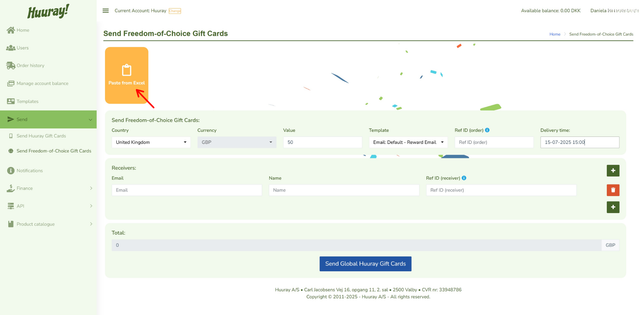
- Click on yellow ‘Paste from Excel’ button
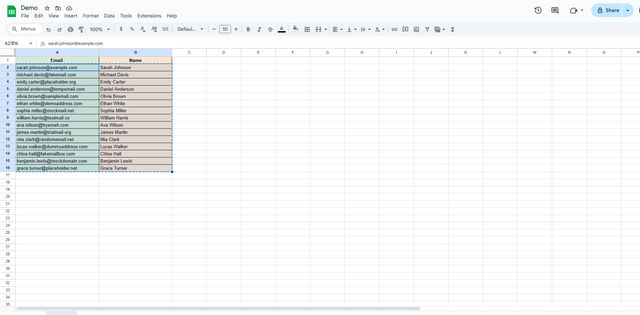
- Mark and copy your data in Excel. NB: First row must be = E-mail and second row = Name
- Put your cursor in the paste box and paste your copied data.
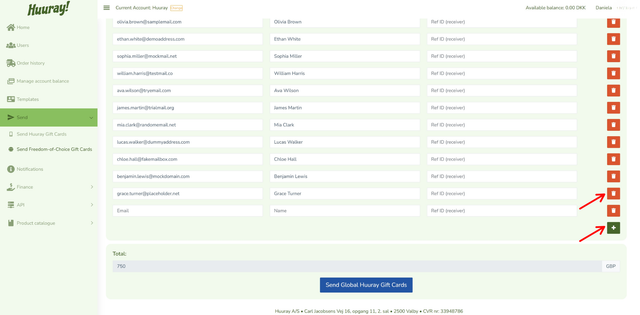
8. Easily add or remove recipients individually
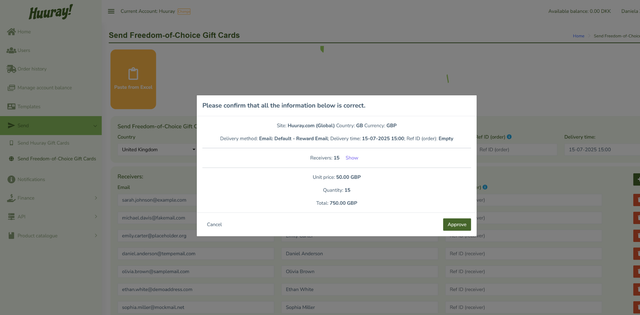
9. Click Send to review and confirm your order.
10. Confirm and send the gift cards to all selected recipients.