
Log in to your account.
Go to Dashboard → Templates.
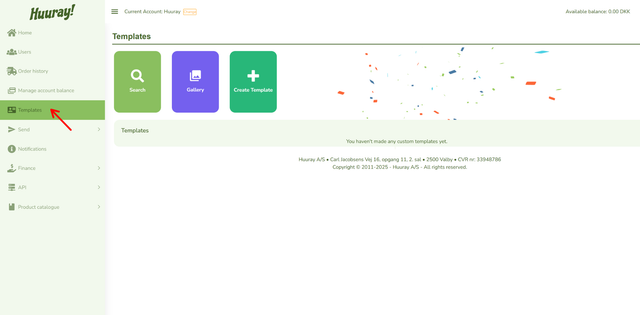
Click the green Create Template button to start.
Steps:
- Copy an existing template by clicking Copy Template.
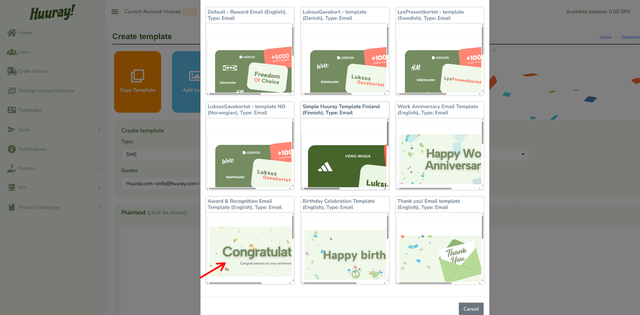
2. Choose a template that is close to what you need.
3. Give your template a clear name so it is easy to find later.
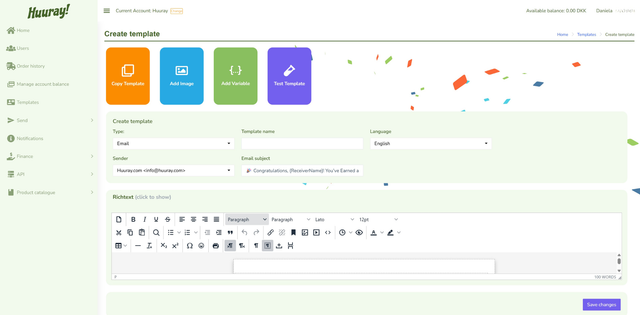
4. Add the sender’s email address (e.g. anaHR@company.com).
5. Add a subject line.
6. Replace the default image if you want to customize it.
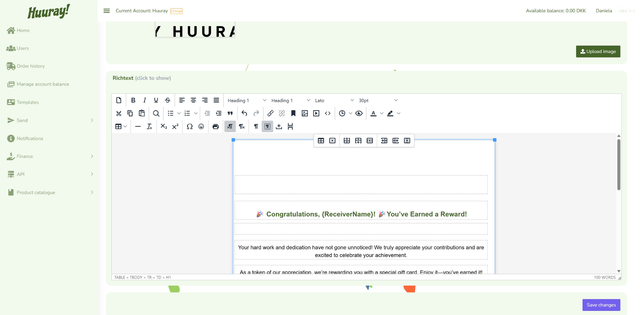
7. Edit the text to match your message/occasion.
Tip: You can drag the corner of the editor to resize it and see more of your template.
Click Save Changes when you are finished.
To use your template:
- Go to the Send section
- Click Template
- Select the template you created
Then complete the order and send your rewards.